Module Custom Plans Setup
- 1. Open 'VPS Reseller Module'
- 2. Open 'Product Plan Configuration'
- 3. Add new custom plan
- 4. Edit custom plan
- 5. Delete custom plan
1. Open 'VPS Reseller Module'
In oder to do it you need to login to your WHMCS Admin Panel and go to Addons -> VPS Reseller Module

2. Open 'Product Plan Configuration'
In oder to open custom plans config please follow image below.
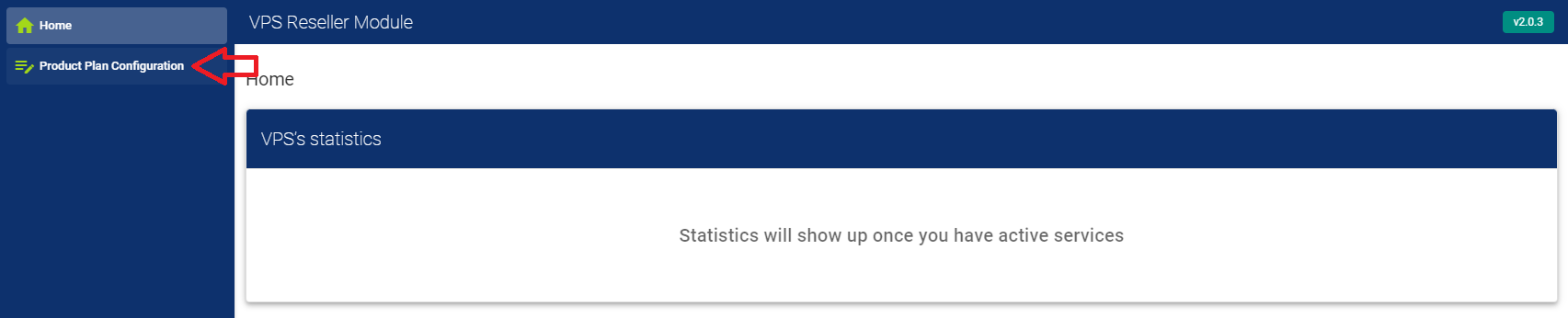
Once you open custom plans config you will see this page:
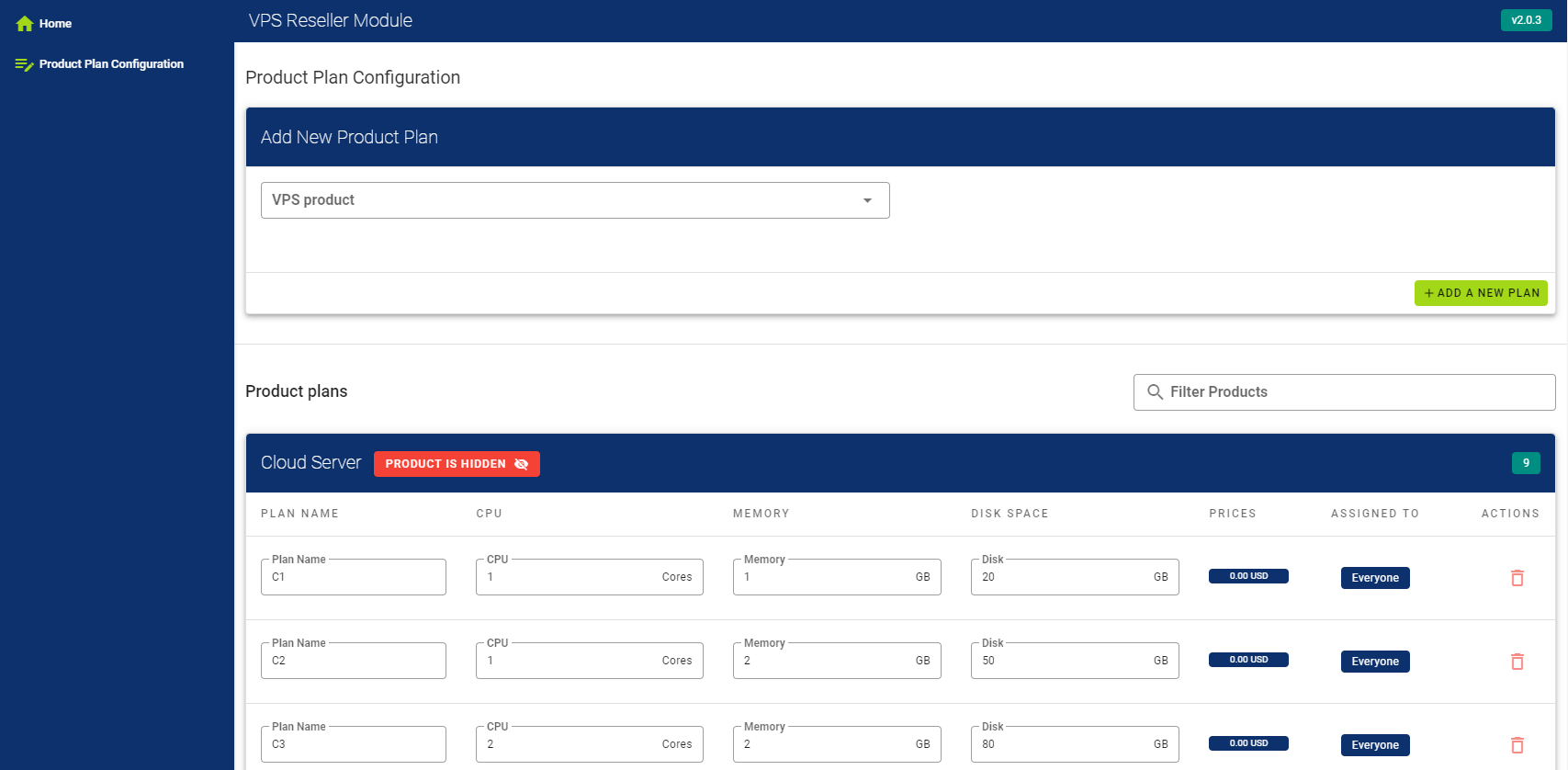
From here you will be able to:
✔️Add new custom plans to products.
✔️Edit existing custom plans.
✔️Delete existing custom plans.
✔️Assign custom plans to specific client.
✔️Configure plans recourse prices.
3. Add new custom plan
In oder to add new custom plan you will need to select a product and press on "ADD A NEW PLAN" button
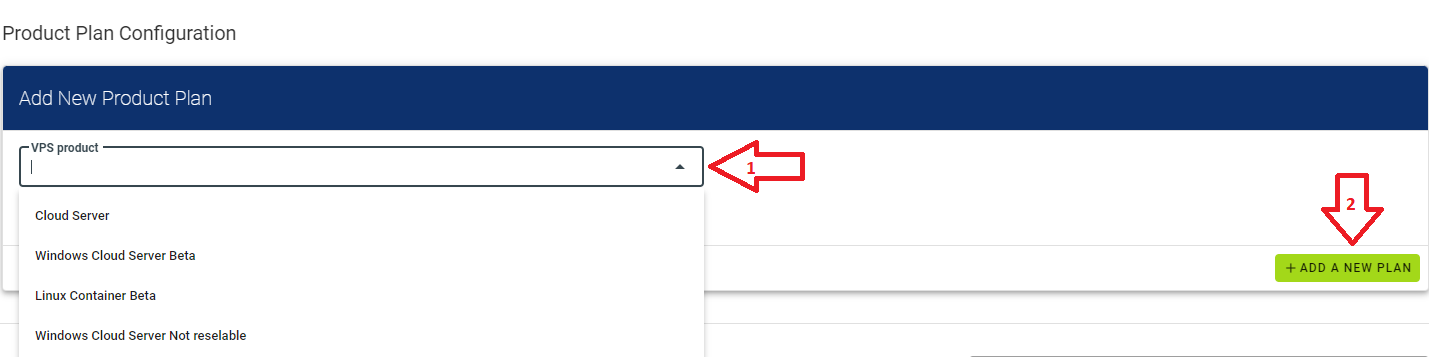
Once you above is done you will that window is extended with input fields:
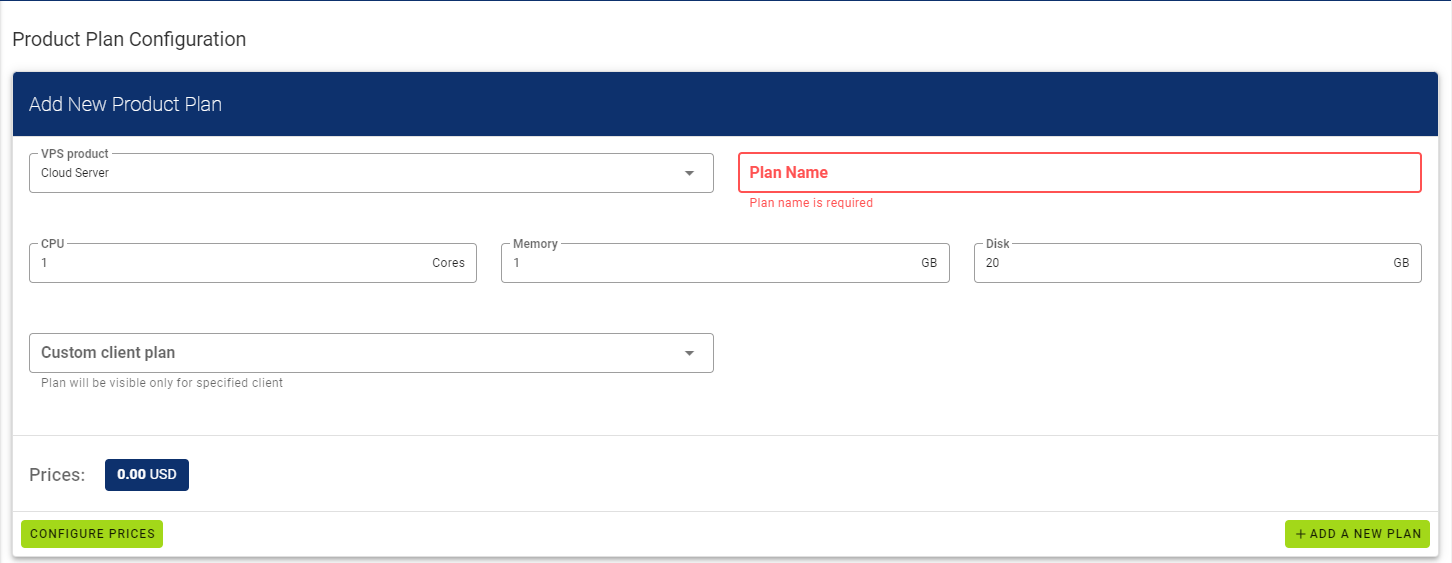
From here you will need to:
- Give a plan name.
- Assign CPU recourse.
- Assign RAM recourse.
- Assign Disk recourse.
- If you wish you can restrict plan to specific client.
- Once all fields are filled press on "ADD A NEW PLAN" button. and plan will appear under product category.
4. Edit custom plan
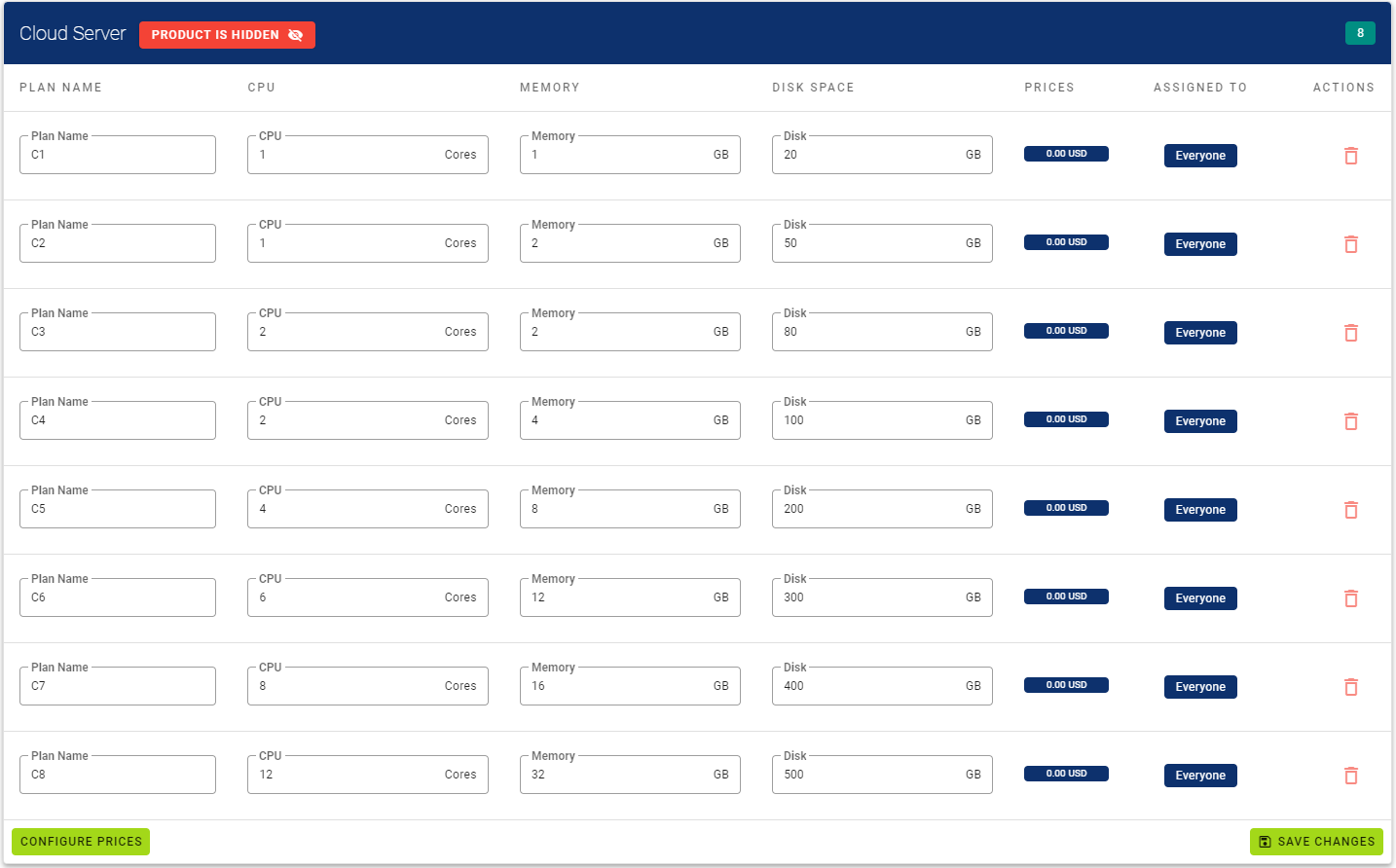
You can edit your plans on the fly.
You just need to look for plan you want to edit and place new values in directly in input fields and press "Save Changes".
5. Delete custom plan
You can delete your plans on the fly.
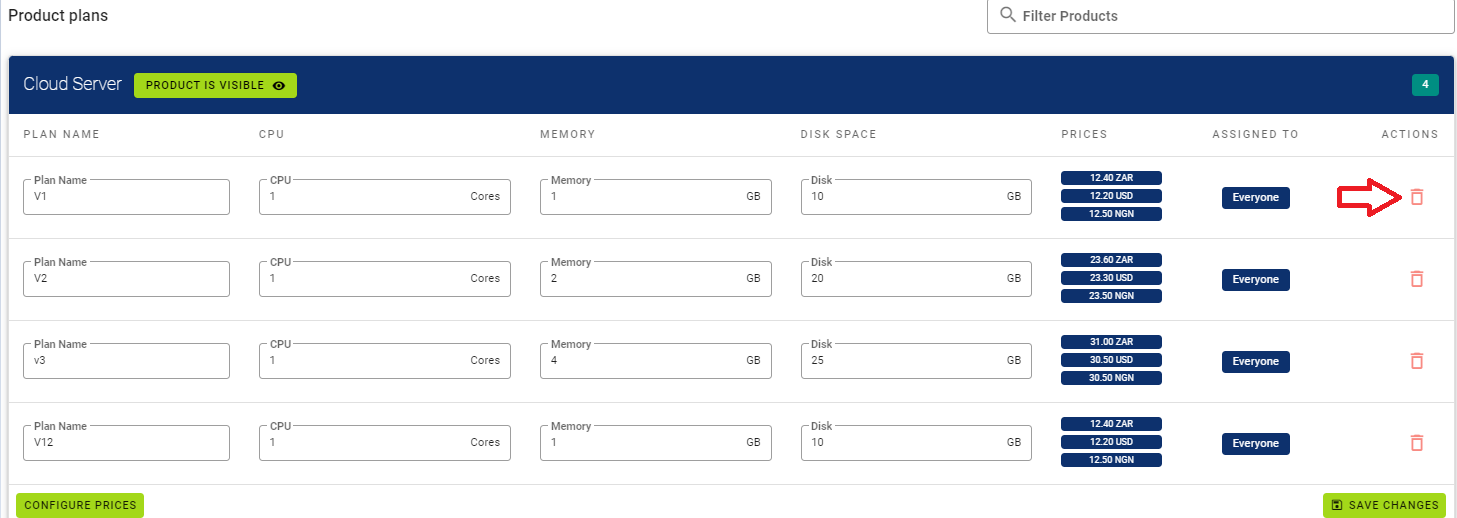
You just need to look for plan you want to delete and press on trash bin on the right side near plan: