Custom Plans Setup
By default Automated VPS Reseller Module setup will create default products.
You can view it at https://{YOU_DOMAIN}/admin/addonmodules.php?module=HostAfricaReseller&action=planconfig
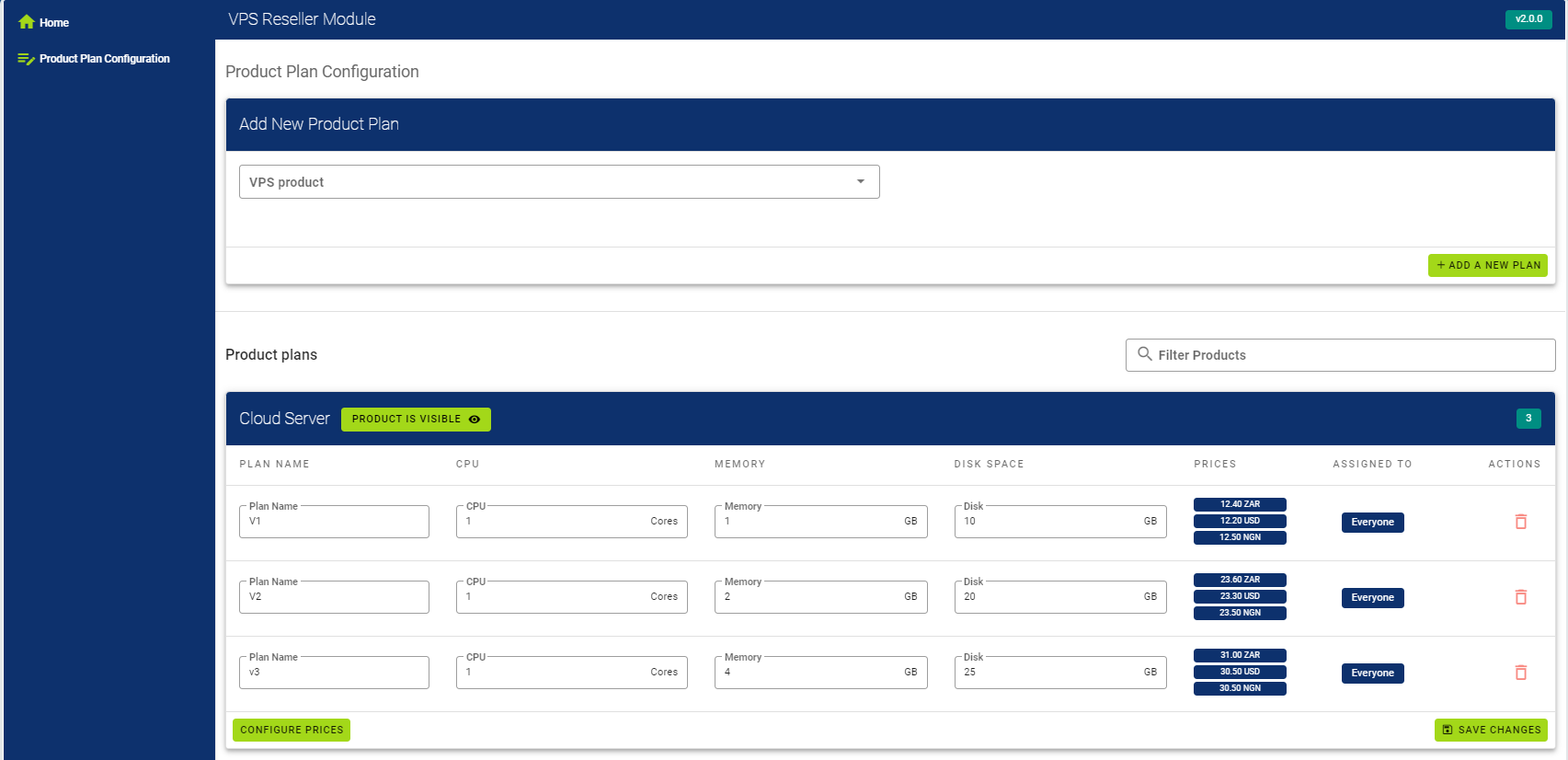
Adding new custom plan
In order to add new plan first you need to select product for which you want to assign new custom plan.
Then product is selected more fillable options will appear:
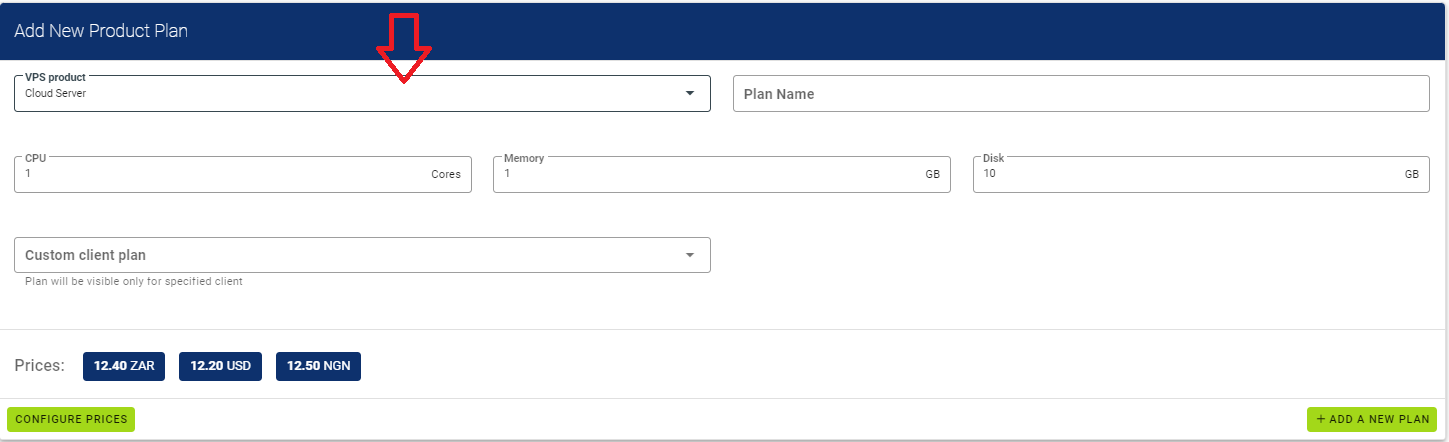
You will need to fill following fields:
'Plan Name' -> this name will be visable for all clients in cart.
'CPU' -> the amount of vCores that this plan will have.
'Memory' -> the amount of RAM GB that this plan will have.
'Disk' -> the amount of storage GB that this plan will have.
*'Custom client plan' -> this field is optional. If you mark your client this plan will be visable only for that client.
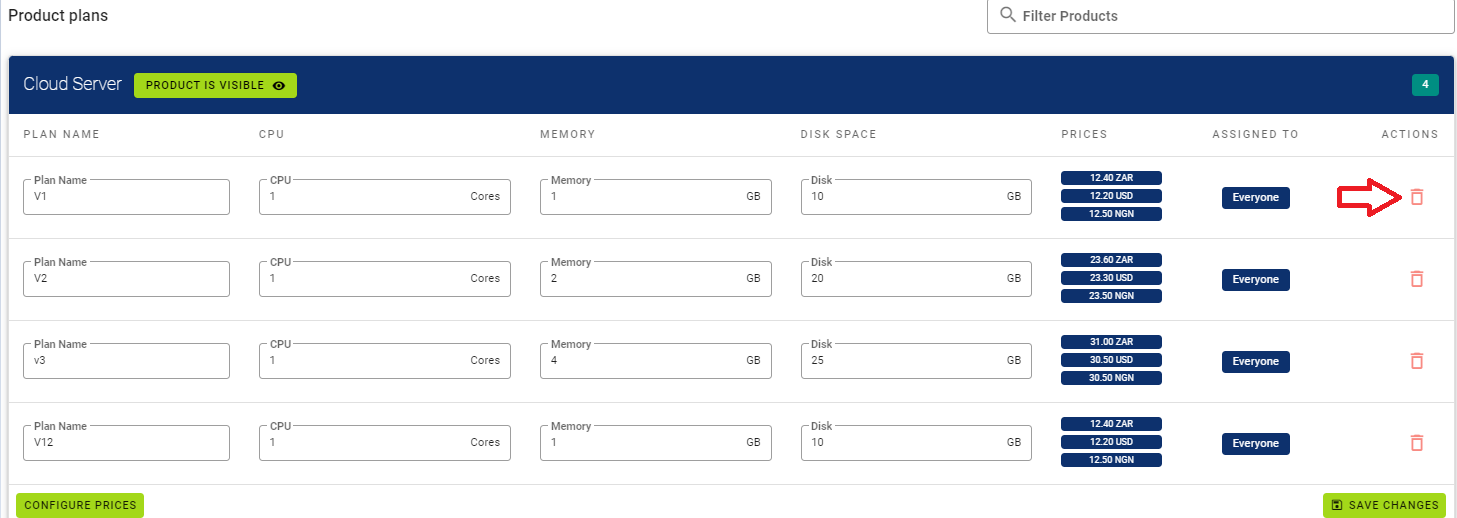
Deleting custom plan
In order to delete plan press on 'Bin' near product plan, and plan will be deleted.